

What are the RAL or Pantone colors for my Logo?
Need to know the color values of your Logo or Design?

How long does this service take?
It can take from a few minutes to a few hours.
How is the response carried out?
It is usually by Email. It can also be by another communication channel used between the client and our service.
What are the payment methods?
The main and most direct is PayPal, but we also accept bank transfer, credit card or Wise - in these cases the payment details will be provided to the customer and we will wait for proof of payment. Currencies accepted: €, £, ₣, US$, CA$, AU$, NZ$, S$, HK$, Mex$, R$, ₺, among others.
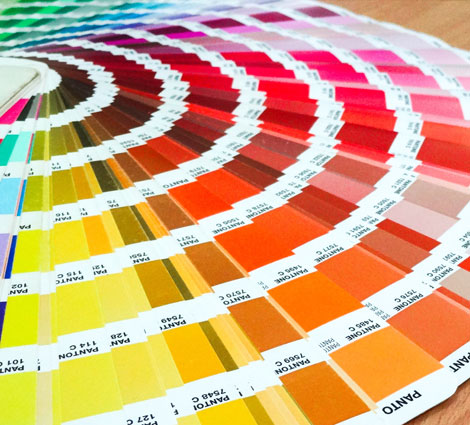
Pantone color catalog
Pantone or RAL system colors
With our service, you can find out the values or color codes of your logo in the Pantone or RAL system. In short, they are two widely used color systems with their own color tables: the Pantone system is better known in the world of graphic printing and advertising, while RAL is widely used in the construction sector, where metallic or plastic materials are used.
In the graphics sector, the big difference and advantage of using the Pantone system is that it allows us to have direct colors, rather than a combination of primary colors that weaken the vividness of the colors. Direct color is more vivid and uniform, allows you to use metallic and shiny colors such as gold or silver, and in the case of using only 1 to 3 colors can lower the price of the final work.
It is very important to have the values of the spot colors for techniques such as screen printing, where there is a process of separating colors on a case-by-case basis, unlike four-color printing.
Within the Pantone universe, there are several systems and catalogs according to purposes and materials. For the provision of our service, we use the FORMULA GUIDE Solid Coated catalog containing over 2000 colors. Within the RAL universe, we use the RAL CLASSIC collection with approximately 216 colors.
If you need to, these 2 systems - Pantone or RAL - can easily be converted to the closest colors in four-color (CMYK) or screen color system (RGB).
 Contact us! Send your file(s) to our email and we will respond quickly:
info@dordiodesign.com
SEND EMAIL
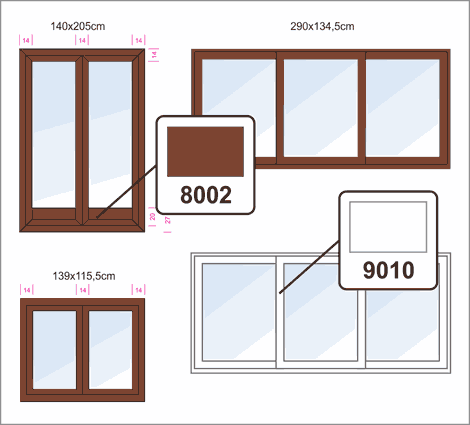
RAL colors used in Architecture
Color Variation
It should be noted that color accuracy is always difficult to achieve. Factors such as the type of support (paper, for example), humidity, type of lighting and the age of the materials alter the colors and vary the color values/codes. That's why we often see the expression of approximate colors rather than the same.
Even so, it's always useful to have a reference of the colors to use in the various jobs, trying to fine-tune them as best as possible in each case.
We also provide a color advice service, which means that if you have any doubts about the colors to apply to your logo or graphic piece, we will suggest the most appropriate colors.
Please send your file(s) to our email and we will respond quickly:
info@dordiodesign.com
SEND EMAIL
Vectorization
Vectorizing a logo or design is very useful for being able to precisely control the colors of all the elements that make up the graphic.
You can easily edit, modify and change the color in various color systems and tables, as well as edit the drawing of lines and shapes, without losing quality.
Vector file or curve / line drawing can be converted to image automatically without losing quality, otherwise it is much more difficult.
Once you have your vector file you can open it in professional programs such as Illustrator, Corel Draw, AutoCAD or Photoshop. The application of vector images is very wide because it can easily convert to other vector formats such as: .DXF, .DWG, .PDF, .AI, .CDR, .EPS, .SVG, among others.
YOU MAY ALSO HAVE INTEREST IN:
Modernize Logo - redesign a Brand
Image cut out service - remove background to make it transparent
Photo restoration and recovery of old images
Convert PageMaker files PMD, PM6 or P65 to PDF or InDesign
Convert QuarkXPress files QXP or QXD to PDF or InDesign
Convert CDR file (Corel) to AI, PDF or EPS
Convert FH9 / FH11 (FreeHand file) to AI, PDF or CDR
Know if my Logo is in Vector Format
Convert logo to SVG
Convert photo to sketch
Vectorize handwriting
Vectorize a logo
Vectorize sketch - convert hand drawings into Vectors
Vectorize an image
Vectorize image for laser cutting
Make DXF file from picture
Vectorize an image for screen printing
Embroidery digitizing services


